
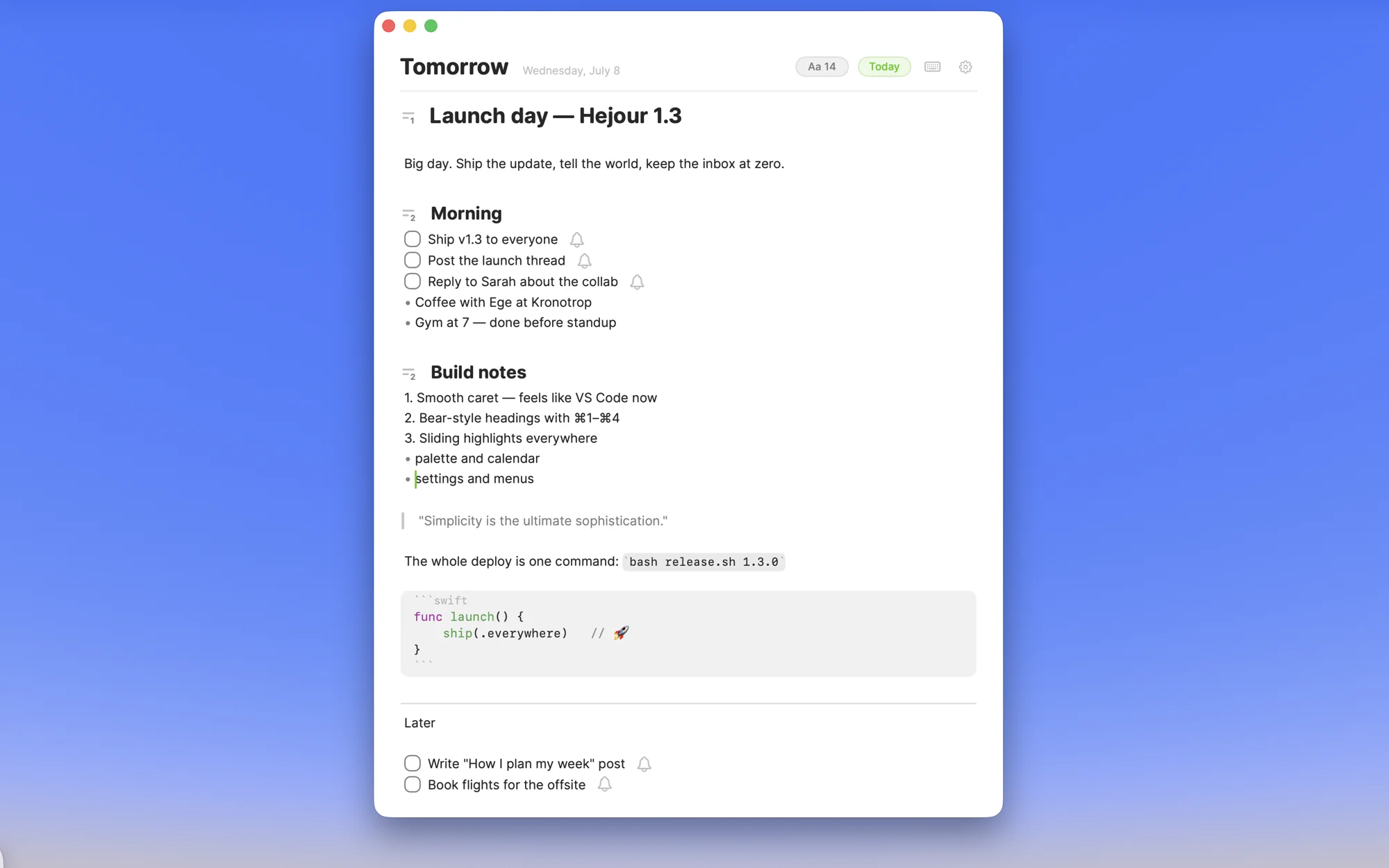
“Notebook app for Mac” is a deceptively simple search, because a notebook is four different things depending on who's asking. Some people want a place to type things down. Some want a personal wiki. Some want to write with a pen. And some want what a paper notebook actually was before software complicated it: pages that fill up in order, one day after another. The right app depends entirely on which notebook you mean — so here are the honest picks for each.
Apple Notes — the notebook that's already there
If you just need somewhere to put text, Apple Notes is genuinely good and already on your Mac: fast, synced, searchable, free. Its weakness is shape. Everything lands in one pile (or in folders you have to invent and maintain), so the grocery list, the meeting notes and the half-written essay all live at the same altitude. As a junk drawer it's excellent. As a notebook — something with an order you can flip through — it never quite becomes one.
Bear — the writer's notebook
Bear is what Apple Notes would be if it were designed by people obsessed with typography. Markdown under the hood, hashtags instead of folders, a gorgeous editor, and a cheap subscription. If your notebook is mostly prose — drafts, ideas, things you're writing — Bear is the nicest room to write it in. It has no opinion about time, though: finding “what was I doing in March” means archaeology by tags.
Craft — the presentable notebook
Craft makes documents that look like you hired a designer: cards, covers, page links, beautiful exports. It shines when notes are meant to be shown — plans you share, docs you present. The flip side of all that structure is weight; for scrappy daily writing it can feel like setting a dinner table to eat a sandwich.
Obsidian — the notebook that becomes a library
Obsidian is the pick if your notebook is really a knowledge base: local Markdown files, backlinks, graph view, and a thousand plugins to shape it into anything. The cost is that you are the architect — templates, plugins, sync are all yours to configure and maintain. People who love building systems love Obsidian. People who just want to open a page and write tend to bounce off.
GoodNotes & friends — the handwritten notebook
If “notebook” means pen to you, apps like GoodNotes and Notability are the real answer — but they're iPad apps first, and their Mac versions are companions, not headquarters. Buy them for the Apple Pencil, not for the Mac.
Hejour — the notebook that turns its own pages
Here's the thing every app above quietly drops: a paper notebook has an order. You never filed anything — you opened the next page, wrote the date on top, and kept going. Finding something later meant flipping back through time, and it worked, because time is the one index your memory already has.
Hejour (made by us, so calibrate accordingly) is that notebook, native on the Mac. Every day is a page; the app opens on today; yesterday's unfinished todos carry themselves forward. Type [] and it's a real todo, #project and it's a thread you can pull through all your days, @ and you're writing on tomorrow's page. ⌘P searches every line of every day. Notes are plain local files — no account, no subscription, one-time $19 for Pro. The deliberate trade-off: no folders or wiki structure — if you're building a library, Obsidian will serve you better.
The six, side by side
| App | Best for | Organized by | Price |
|---|---|---|---|
| Apple Notes | A free place for everything | Folders | Free |
| Bear | Writing-first notes | Tags | Free tier; ~$30/yr |
| Craft | Docs you share and show | Documents | Free tier; ~$96/yr |
| Obsidian | A personal wiki | Links & folders | Free; paid sync |
| GoodNotes | Handwriting (on iPad) | Notebooks | Free tier; paid unlock |
| Hejour | A daily log with todos | Days | Free; Pro $19 once |
So which notebook app should you get?
- A free place for everything: Apple Notes.
- Beautiful writing, tags over folders: Bear.
- Docs you'll share and show: Craft.
- A personal wiki you enjoy building: Obsidian.
- Actual handwriting: GoodNotes on an iPad.
- A notebook with pages that follow the calendar: try Hejour — free download, and today's page is already waiting.