
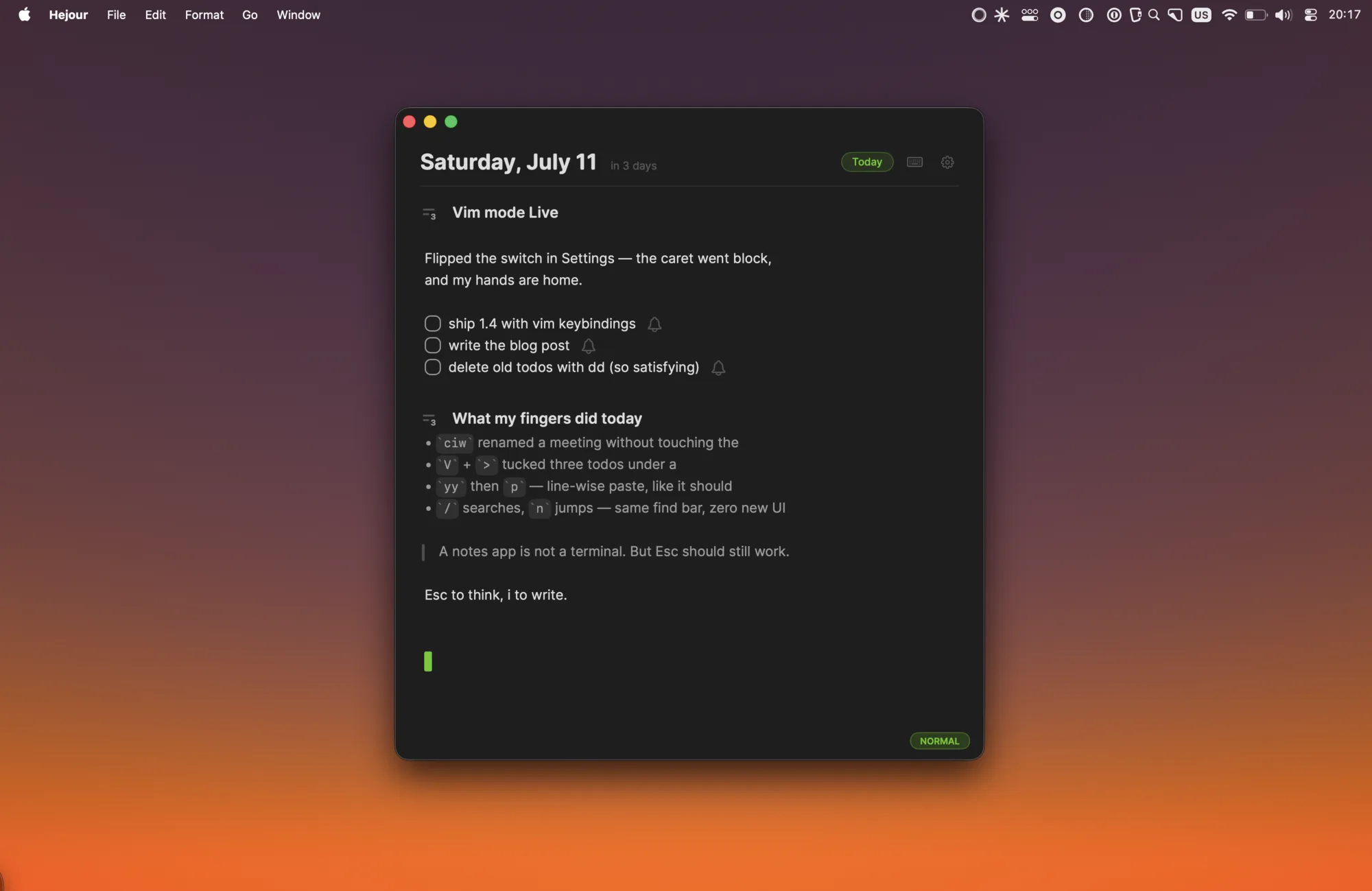
If your hands live in Vim, every notes app feels slightly broken. You reach for ciw to change a word and get a literal “ciw” on the page. You tap Esc out of habit and nothing happens. So you keep your notes in Neovim and give up on nice things — todos you can click, days that link to each other, reminders.
Hejour 1.4 ships native Vim keybindings — not a plugin, not an Electron shim over CodeMirror, but modal editing built into the same macOS text engine that renders your todos, headings and linked days. Flip it on in Settings → Editor, and the caret becomes a block: you're in normal mode.
What's in the box
- Three modes, one indicator. Normal, insert and visual (character and line). A small chip in the corner tells you where you are — green for normal, gray for insert, purple for visual — and the caret shape says it even faster: block outside insert, your usual bar inside it.
- Motions with counts.
h j k l,w b e,0 ^ $,gg G,{ },f F t T— and3w,5j,2faall do what your fingers expect.jandkmove by logical lines with column memory, like real Vim, not by wrapped display lines. - Operators and text objects.
d,c,ycompose with every motion;dd cc yy,D C Y,x s r ~ Jare there, andciw/diw/dawwork on words. Yank and delete feed a register that knows the difference between line-wise and character-wise, soyythenppastes a proper line below. - Visual mode that understands lists. Select with
vorV, then>and<indent the selected todos and bullets exactly like Tab does — nesting levels, not spaces. - Search that reuses the app.
/opens Hejour's find bar,nandNstep through matches. No second search UI to learn.
Where we deliberately deviate
A notes app is not a terminal, and pretending otherwise produces worse notes. Three choices we made on purpose:
ocontinues your list. Open a line below a todo and you get the next todo, checkbox and all — the same thing Return does. Real Vim would give you a blank line; in a notes app that's just friction.- Word motions use WORD semantics.
w/b/ejump between whitespace-separated chunks. It's predictable in any language — Turkish included — and it never argues with punctuation. - No ex commands. There is no
:wbecause there is nothing to save — Hejour persists as you type. Your ⌘ shortcuts (palette, headings, find) work identically in every mode.
Why modal editing fits day-based notes
Most note-taking is actually editing: reshuffling this morning's todos, tightening meeting notes, moving a line to tomorrow. Modal editing shines exactly there — dd a stale todo, ciw a wrong name, V three lines and indent them under a heading. The writing part still feels like any Mac app: i, type, Esc.
Vim keybindings are off by default and live behind a single switch (Settings → General → Editor), so the people who never asked for modal editing never meet it. If you flip it on and something feels un-Vim-like, tell us — support@hejour.com goes straight to the person who wrote the state machine.
Download Hejour — free, notarized by Apple, and your day already has a page waiting.